.jpg)
Got IT issues slowing you down? We provide both on-site and remote support across Australia, so help is never far away.
Public AI tools have become part of everyday business operations. Teams use them to brainstorm ideas, draft emails, generate marketing copy, analyse data, and summarise reports in seconds. Used correctly, they improve efficiency and reduce workload across departments.
However, when businesses rely on these tools without guardrails, they introduce serious risk. An effective AI security policy is now essential for any Australian SMB using public AI platforms while handling customer data, internal strategies, or proprietary information.
Most public AI tools are designed to learn from user input. Prompts entered into platforms like ChatGPT, Gemini, or other generative AI tools may be retained or used to improve models unless strict controls are in place. A single careless prompt can expose customer Personally Identifiable Information (PII), confidential documents, internal code, or strategic plans.
For business owners and managers, the priority is clear. AI adoption must move forward, but it must be done safely, responsibly, and with strong governance from day one.
The risks associated with unmanaged AI usage are often underestimated. Many businesses assume that data entered into AI tools disappears after a session ends. In reality, public AI platforms operate under complex data-handling terms that vary widely between free and commercial tiers.
Without a defined AI security policy, businesses face:
• Loss of sensitive customer data
• Exposure of intellectual property
• Breaches of privacy and compliance obligations
• Reputational damage that is difficult to recover from
Unlike traditional cyberattacks, AI-related data leaks are usually caused by human error rather than malicious intent. This makes them harder to detect and easier to repeat if policies and controls are missing.
Integrating AI into business workflows is now essential for staying competitive, but doing so without safeguards can be extremely costly. The financial impact of a data leak caused by careless AI use often far outweighs the cost of preventative controls.
A single incident can trigger:
• Regulatory penalties under privacy and data protection laws
• Loss of customer trust
• Contract breaches with clients and partners
• Competitive disadvantage if proprietary data is exposed
A real-world example highlights this risk clearly. In 2023, employees at Samsung’s semiconductor division unintentionally leaked confidential information by pasting sensitive content into ChatGPT. This included source code and internal meeting recordings. The data was retained by the AI model, creating long-term exposure.
This was not a sophisticated cyberattack. It was human error combined with the absence of clear AI governance. Samsung responded by implementing a company-wide ban on generative AI tools, sacrificing productivity to regain control.
For SMBs, a blanket ban is rarely practical. The smarter approach is to implement a clear AI security policy supported by technical controls and employee training.
An AI security policy is not a generic IT document. It is a practical framework that defines how AI tools can and cannot be used across the business.
At a minimum, it should clearly define:
• Which AI tools are approved for business use
• What data is classified as sensitive or restricted
• Which information must never be entered into public AI tools
• Approved workflows for using AI safely
• Consequences for non-compliance
This clarity removes guesswork for employees and ensures consistent, secure behaviour across teams.
Building a responsible AI environment requires both policy and execution. The following strategies help Australian SMBs protect data while still benefiting from AI efficiency.
Guesswork has no place in data protection. A formal AI security policy sets clear expectations and eliminates ambiguity.
The policy should explicitly prohibit entering sensitive data such as:
• Customer PII
• Financial records
• Internal credentials
• Product roadmaps
• Merger or acquisition discussions
The policy must be introduced during onboarding and reinforced regularly through refresher training. Clear documentation ensures employees understand both the risks and their responsibilities.
Free AI tools are designed to improve models, not protect business data. Business-grade AI subscriptions provide contractual guarantees that customer inputs are not used for training public models.
Examples include:
• ChatGPT Team or Enterprise
• Microsoft Copilot for Microsoft 365
• Google Workspace AI features
These platforms offer stronger data privacy controls, administrative oversight, and compliance assurances that free tiers cannot match. This creates a critical legal and technical boundary between your data and the public internet.
Human error is inevitable. Technical controls are essential to prevent mistakes from becoming breaches.
Modern Data Loss Prevention solutions can inspect prompts and uploads in real time before data reaches an AI platform. Tools such as Microsoft Purview and Cloudflare DLP can:
• Detect sensitive data patterns
• Block or redact confidential information
• Log and report attempted policy violations
These controls provide a safety net that catches issues early, reducing reliance on perfect human behaviour.
Policies alone do not change behaviour. Practical training does.
Interactive workshops help employees learn how to:
• De-identify sensitive data before analysis
• Rephrase prompts safely
• Recognise high-risk use cases
• Understand why restrictions exist
This approach turns staff into active participants in data protection rather than passive rule followers.
Security controls only work if they are monitored. Business-grade AI platforms provide admin dashboards and activity logs that should be reviewed regularly.
Audits help identify:
• Unusual usage patterns
• Policy gaps
• Teams requiring additional guidance
The goal is improvement, not punishment. Visibility enables continuous refinement of AI governance.
Technology alone cannot protect data. Leadership must actively promote secure AI practices and encourage open discussion.
When employees feel comfortable asking questions and reporting concerns, issues are resolved early rather than hidden. This collective awareness often outperforms any single security tool.
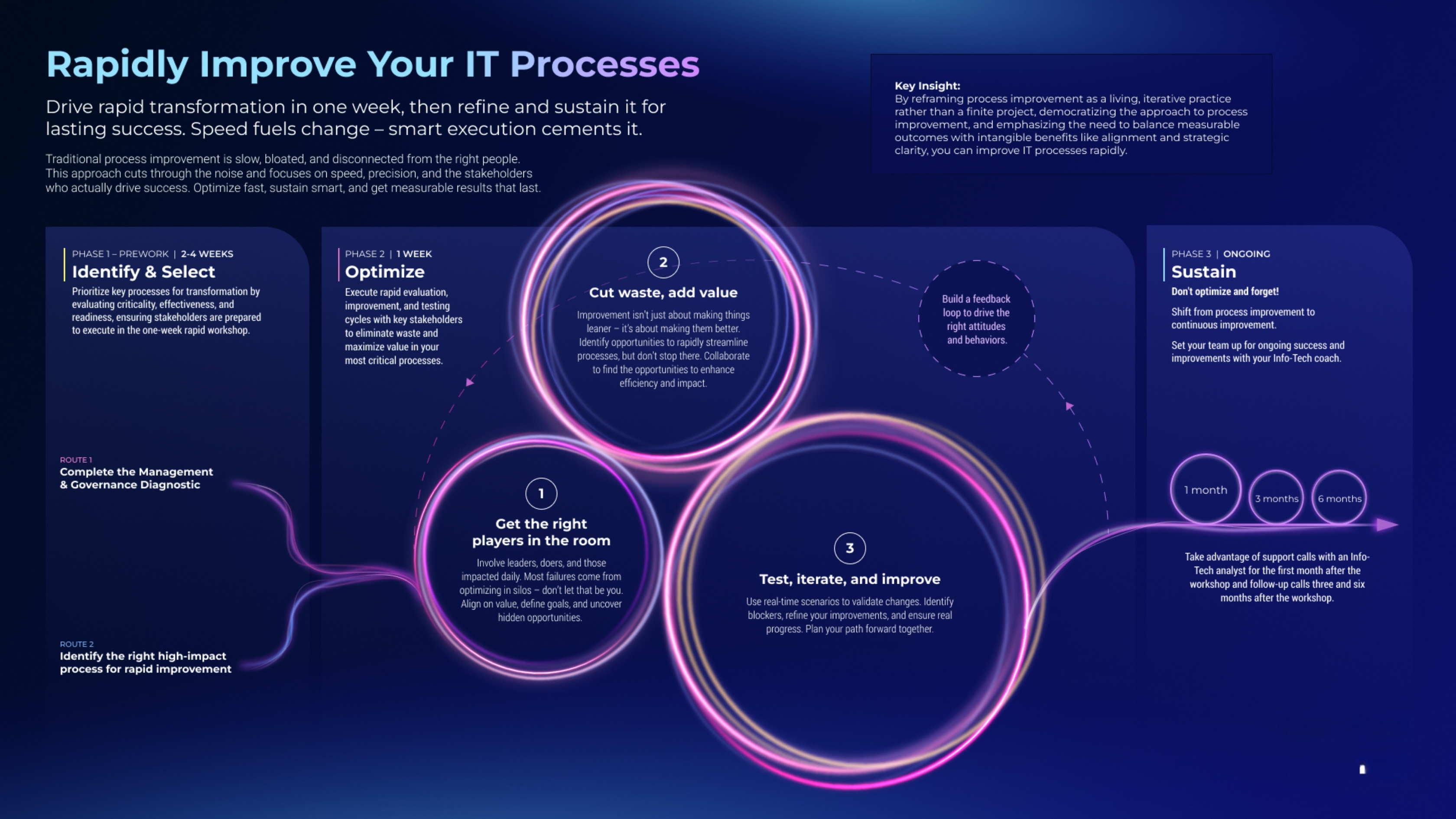
A practical AI governance framework does not need to be complex. For most SMBs, a structured, phased approach is the most effective.
Start by identifying all AI tools currently in use across the business. Classify which are approved, restricted, or prohibited.
Define data classification levels and map them clearly to AI usage rules. Assign ownership for AI governance to a specific role or committee to ensure accountability.
Integrate AI usage into existing security reviews and compliance audits. As AI tools evolve, revisit the policy regularly to keep it relevant and enforceable.
• Treat AI tools as external data processors, not private workspaces
• Never assume prompts are private or temporary
• Use tagging and redaction where possible
• Limit AI access based on role and responsibility
• Review AI contracts and privacy terms carefully
• Align AI usage with existing cybersecurity frameworks
Challenge 1: Employees unknowingly sharing sensitive data with AI tools
BIT365 Solution: Implement a clear AI security policy supported by DLP controls that block sensitive prompts before they reach public AI platforms.
Challenge 2: Lack of visibility into how AI tools are being used
BIT365 Solution: Deploy business-grade AI subscriptions with admin dashboards and regular audit processes.
Challenge 3: Productivity loss caused by banning AI outright
BIT365 Solution: Adopt responsible AI use frameworks that balance security with efficiency rather than imposing blanket restrictions.
Challenge 4: Scaling AI use as the business grows
BIT365 Solution: Build AI governance into existing IT and security frameworks so controls scale alongside the organisation.
• Public AI tools introduce real data security risks if unmanaged
• An AI security policy is essential for responsible AI adoption
• Business-grade AI subscriptions provide stronger privacy protections
• DLP solutions reduce the impact of human error
• Employee training is critical to long-term success
• AI governance must evolve as tools and usage expand
🌐 Creating a Cybersecurity Culture: Why IT Protection Starts with Your People
🌐 Data Retention Policies for Small Businesses: Why They Matter and How to Get Started
Need help implementing a secure and practical AI security policy in your business? BIT365 works with Australian SMBs to design AI governance frameworks that protect data without slowing teams down.
From policy development and employee training to DLP implementation and ongoing compliance support, we help you adopt AI with confidence. Speak to BIT365 today and make AI work safely for your business.
Got IT issues slowing you down? We provide both on-site and remote support across Australia, so help is never far away.
BIT365 offers a full range of managed IT services, including cybersecurity, cloud solutions, Microsoft 365 support, data backup, and on-site or remote tech support for businesses across Australia.
No. While we have a strong presence in Sydney, BIT365 supports businesses nationwide — delivering reliable IT solutions both remotely and on-site.
We pride ourselves on fast response times. With remote access tools and on-site technicians, BIT365 can often resolve issues the same day, keeping your business running smoothly.
BIT365 combines local expertise with enterprise-grade solutions. We’re proactive, not just reactive — preventing issues before they impact your business. Plus, our friendly team explains IT in plain English, so you always know what’s happening.
%20Best%20Practices%20(1).jpg)
.jpg)

.jpg)
.jpg)

.jpg)
.jpg)





.jpg)



%20(3).jpg)





.jpg)













.jpg)