Got IT issues slowing you down? We provide both on-site and remote support across Australia, so help is never far away.
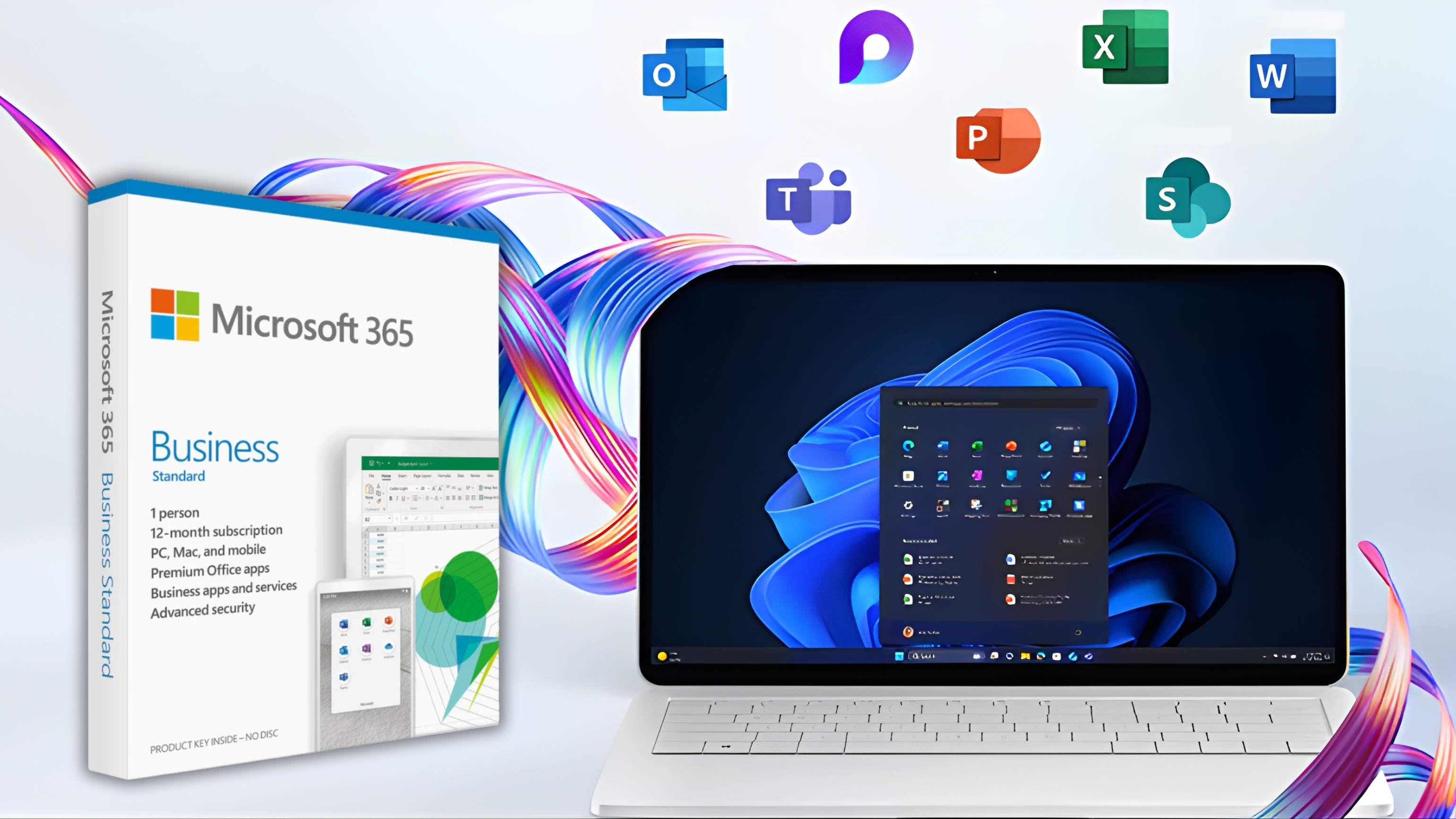
Microsoft 365 is one of the most powerful business platforms available today. It enables collaboration, strengthens communication, and provides enterprise-grade security features at a predictable cost. But while most Australian businesses depend on Microsoft 365 every day, many unknowingly overspend on features they don’t use, licences they don’t need, or premium add-ons that don’t deliver meaningful value.
This is especially common as Microsoft continues rolling out new security tiers, Copilot features, and compliance extensions. Without careful management, businesses end up paying significantly more for M365 than necessary — often without improving productivity or security.
This guide shows how to avoid wasted spend, strengthen your M365 environment, and make sure every licence and add-on works for your people. We’ll explore built-in security features, highlight how overspending happens, and share practical steps every SMB can take to optimise licences without sacrificing capability.
By the end, you’ll know exactly how to right-size your environment, identify wasted spend, and apply smart governance to ensure every dollar delivers value. And most importantly, you’ll understand how to integrate Microsoft 365 security and Copilot tools in a way that supports your business — not your budget leaks.
Many businesses assume that better security and productivity is only possible with higher-tier plans like E3 or E5. But the truth is that Microsoft 365 provides a strong foundation even at lower levels. Businesses often jump to premium tiers without realising they already have what they need.
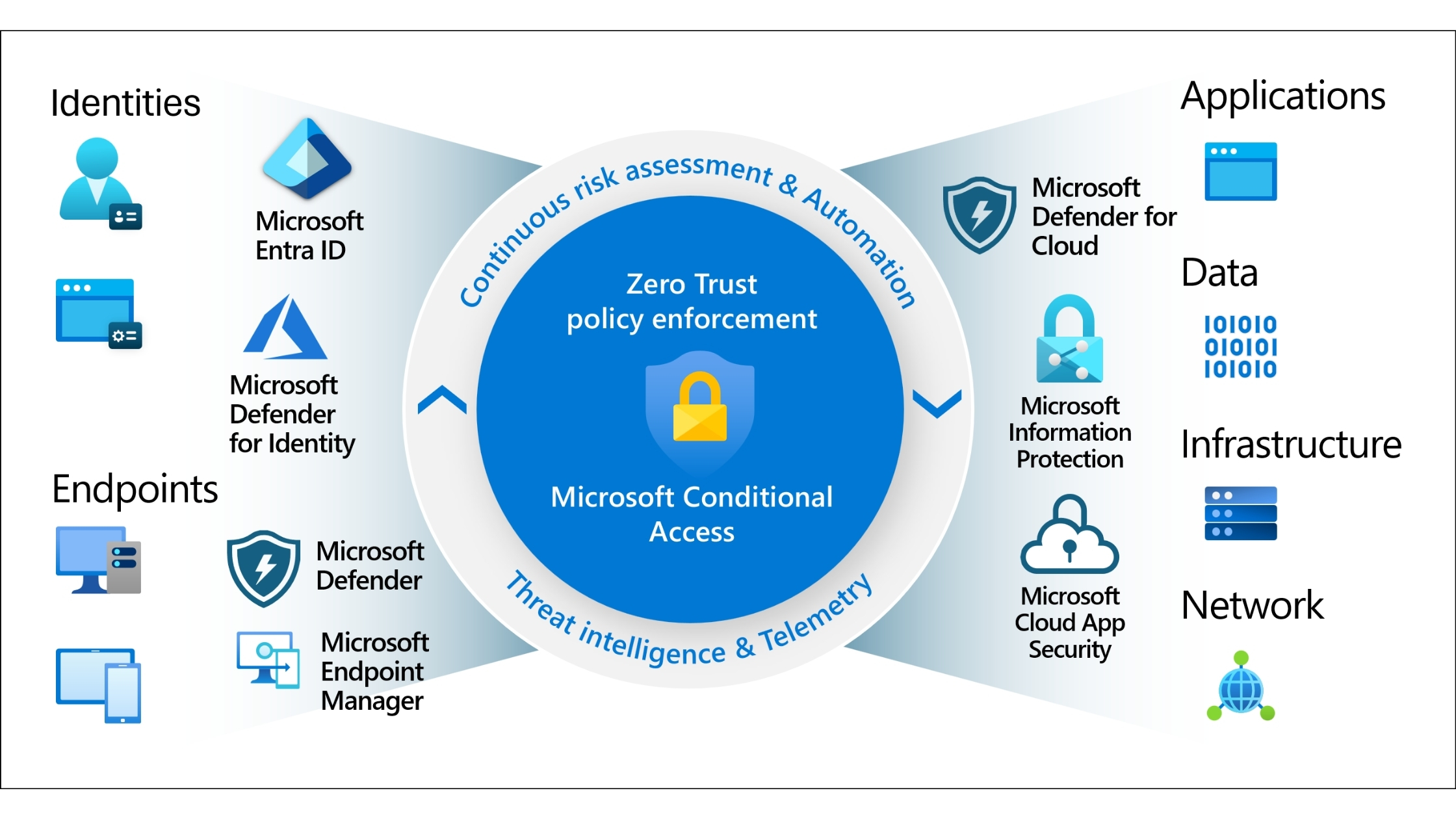
Every Microsoft 365 tenant includes advanced identity management tools through Entra ID (formerly Azure Active Directory). These include:
This core identity layer is essential for preventing credential theft — one of the most common attack vectors targeting Australian SMBs.
Depending on your plan, your tenant may already include:
Many businesses upgrade to costly add-ons without checking whether their existing plan already covers essential protections.
Lower-tier plans may already offer:
While not as advanced as E5 tools, they are often enough for SMB needs.
Understanding what you already have is the first step in controlling spend. You shouldn't buy tools you don’t need — or pay twice for features that exist in your base plan.
Overspending doesn’t always show up in a single large cost. More often, it hides across the environment — accumulating slowly until it becomes a serious financial leak. These are the most common reasons businesses waste money on M365.
Many organisations jump to E3 or E5 without validating whether users truly need the upgraded capabilities. IT managers often choose higher tiers “just to be safe” or because the features sound attractive — even if they’re never used.
The result?
A business might end up paying hundreds of dollars per user each year for features that never get switched on.
Idle licences are one of the biggest sources of waste. Common examples include:
These forgotten licences can cost thousands every year — and rarely get noticed without structured reviews.
A common misconception:
Deleting a user automatically releases the licence.
It doesn’t.
Unless licences are manually unassigned (or automated via workflows), the business continues paying for them indefinitely.
Some examples:
Microsoft doesn’t warn you when you assign redundant features. Without oversight, duplication becomes extremely common.
Most overspending problems are fully avoidable. With smart management, your business can retain productivity, improve security, and reduce cost — without sacrificing capability.
Not every user needs premium functionality.
Examples of light users:
Tools like usage analytics reveal how employees actually use their licences. If they’re not taking advantage of E3/E5 benefits, they can be downgraded without impact.
To stop unused licences from accumulating:
Automated offboarding ensures you don’t continue paying long after an employee departs.
Many businesses simultaneously use:
In many cases, Microsoft’s built-in capabilities are already sufficient. Consolidation reduces complexity, improves performance, and saves money.
Shared mailboxes should not have paid licences unless they require:
Many businesses pay for these unnecessarily. Converting them to free shared mailboxes immediately frees budget.
Governance ensures licence waste doesn’t return. This includes:
Strong governance keeps your M365 environment clean and efficient.
Creating a right-sized licence strategy involves structure, ownership, and predictable review cycles.
Every department and position should have a defined licence profile.
This eliminates guesswork and reduces inconsistent assignments.
Usage reports identify:
These insights guide your optimisation decisions.
Ask the right questions:
Automation strengthens governance and prevents repeated waste.
Automate:
An experienced MSP like BIT365 can identify waste and security gaps that internal teams often miss.
.jpg)
Challenge 1: Limited visibility into actual licence usage
BIT365 Solution: We analyse usage data to identify unused and underused licences, ensuring businesses only pay for tools they genuinely need.
Challenge 2: Paying for duplicate security tools without realising it
BIT365 Solution: We consolidate overlapping systems into a cleaner, more cost-effective Microsoft security stack.
Challenge 3: Licences not reclaimed during offboarding
BIT365 Solution: We implement automated workflows that unassign licences and secure identities the moment staff depart.
Challenge 4: Overbuying Copilot or premium add-ons
BIT365 Solution: We help businesses deploy Copilot strategically based on role, need, and measurable outcomes.
Challenge 5: Environment becomes too complex to manage internally
BIT365 Solution: We provide ongoing governance, reviews, and reporting to keep the Microsoft 365 environment clean, efficient, and compliant.
🌐 Why Multi-Factor Authentication is so important for Microsoft 365
🌐 What Makes Microsoft 365 a Must-Have for Modern Businesses
Whether you're looking to reduce unnecessary licence costs, simplify your Microsoft 365 environment, or strengthen your security posture, BIT365 can help.
Our team works with Australian SMBs every day to optimise licences, automate governance, and improve efficiency without increasing spend. If you want clearer visibility, stronger security, and smarter technology decisions, reach out today — we’re here to help you get the most from your M365 investment.
Got IT issues slowing you down? We provide both on-site and remote support across Australia, so help is never far away.
BIT365 offers a full range of managed IT services, including cybersecurity, cloud solutions, Microsoft 365 support, data backup, and on-site or remote tech support for businesses across Australia.
No. While we have a strong presence in Sydney, BIT365 supports businesses nationwide — delivering reliable IT solutions both remotely and on-site.
We pride ourselves on fast response times. With remote access tools and on-site technicians, BIT365 can often resolve issues the same day, keeping your business running smoothly.
BIT365 combines local expertise with enterprise-grade solutions. We’re proactive, not just reactive — preventing issues before they impact your business. Plus, our friendly team explains IT in plain English, so you always know what’s happening.


%20Best%20Practices%20(1).jpg)
.jpg)
.jpg)

.jpg)

.jpg)

.jpg)


.jpg)






.jpg)



%20(3).jpg)





.jpg)












.jpg)